How I Install GTA 5 Mods in 2026 Without Breaking My Game
GTA 5 mods in 2026 still rely on Script Hook V and a clean Legacy install; test in Story Mode and keep modded folders out of GTA Online.
I still get the same question from friends who just bought GTA 5 on PC: why does modding this decade-old game still feel like a back-alley operation in 2026? The answer is simple. Rockstar never shipped an official mod loader, and the arrival of GTA 5 Enhanced has made the scene more complicated, not less. The old Legacy build remains the path of least resistance for most script mods, while Enhanced support is still uneven. My advice: keep a clean Legacy install for modding, test every mod in Story Mode, and never carry a modded folder into GTA Online.
🧰 What Are You Actually Installing?
Most GTA 5 mods are not click-and-play packages. They are scripts, asset replacements, map additions, or trainers that rely on third-party tools. That is why the first rule of modding in 2026 is the same as it was years ago: read the mod page before you touch your game folder. A mod that says it needs Script Hook will not work with only a mod manager. A map mod may need OpenIV. A LUA script may need a separate plugin. The tool chain matters.
Here is the short version of what I use and why:
| Tool | What it does | Do I need it? |
|---|---|---|
| Script Hook V | Loads .asi script mods | Yes, for most script mods |
| Community Script Hook V .NET | Runs .NET scripts | Only for mods that require it |
| LUA plugin | Runs .lua scripts | Only for LUA-based mods |
| OpenIV | Edits and saves game files | Only for asset and map mods |
| Map Editor | Adds or places map content | Only for map projects |
| GTAV Mod Manager | Enables and disables mods | Helpful if you use many mods |
🔧 The Core Step: Script Hook
When I set up a fresh install, I start with Script Hook by Alexander Blade. It is the foundation for most script mods, and without it many of the popular trainers and gameplay tweaks simply will not load. The package I use contains three files: dinput8.dll, ScriptHookV.dll, and NativeTrainer.asi. The first is the ASI loader. The second lets custom scripts run in GTA 5. The third is an optional trainer that can change your skin, time of day, teleport you around the map, and switch on invincibility in single-player.
I copy dinput8.dll and ScriptHookV.dll into the folder where GTA5.exe lives. On Steam that is usually the Grand Theft Auto V folder inside steamapps and common. If you use another storefront, find the folder that contains the executable and put the files there. I only keep NativeTrainer.asi if I actually plan to use it. Extra files are extra clutter, and clutter leads to keybind conflicts later.
One warning I always repeat: use the creator's official release page and ignore advertisements that look like download buttons. The modding scene has a long history of fake download prompts, and one wrong click can cost you more time than the mod is worth.
🧩 .NET Scripts and LUA Scripts
Some mods need more than the base Script Hook. Community Script Hook V .NET is the bridge for scripts written in .NET languages. If a mod page says it requires both Alexander Blade's Script Hook and the Community Script Hook, install both. I also make sure Microsoft .NET Framework 4.8 is present, though on modern Windows it is usually there already. I check for the Microsoft Visual C++ Redistributable Package for Visual Studio 2019 x64 as well. Then I copy ScriptHookVDotNet.asi, ScriptHookVDotNet2.dll, and ScriptHookVDotNet3.dll into the game directory.
LUA mods follow a similar pattern but use a different plugin. The package includes a scripts folder and LUA_SDK.asi. I put both in the GTA 5 directory, next to the Script Hook files. Inside the scripts folder there is an addins folder, and that is where .lua mod files go. The package may include example scripts. I delete the ones I do not need so I can see clearly what is actually running.

🗺️ OpenIV and Map Mods
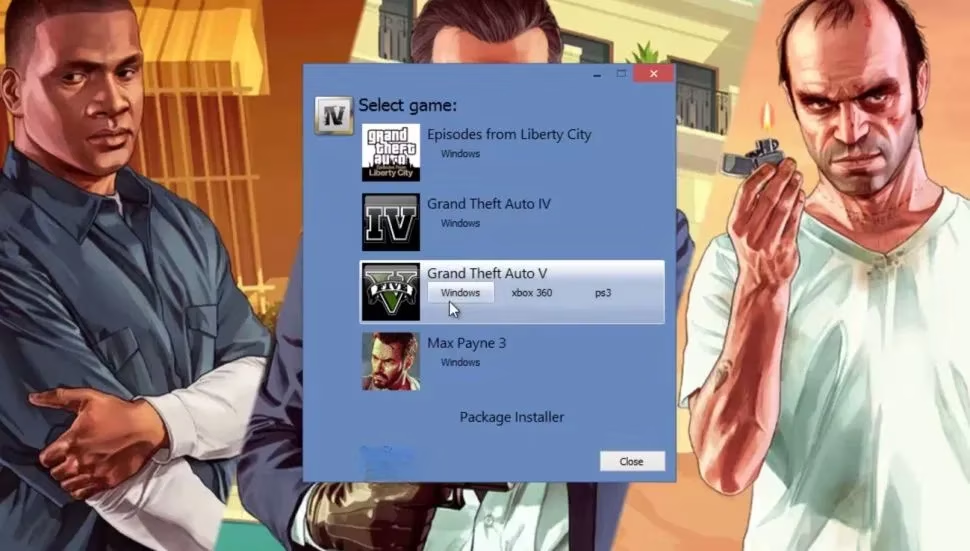
OpenIV is the heavy tool. It edits and saves GTA game files, and it is still the standard for asset replacements and many map projects. I treat it with respect because it makes real changes. Before I edit anything, I back up the files I plan to touch. Different mods use OpenIV in different ways, so there is no single universal instruction set. The mod page is the instruction manual.
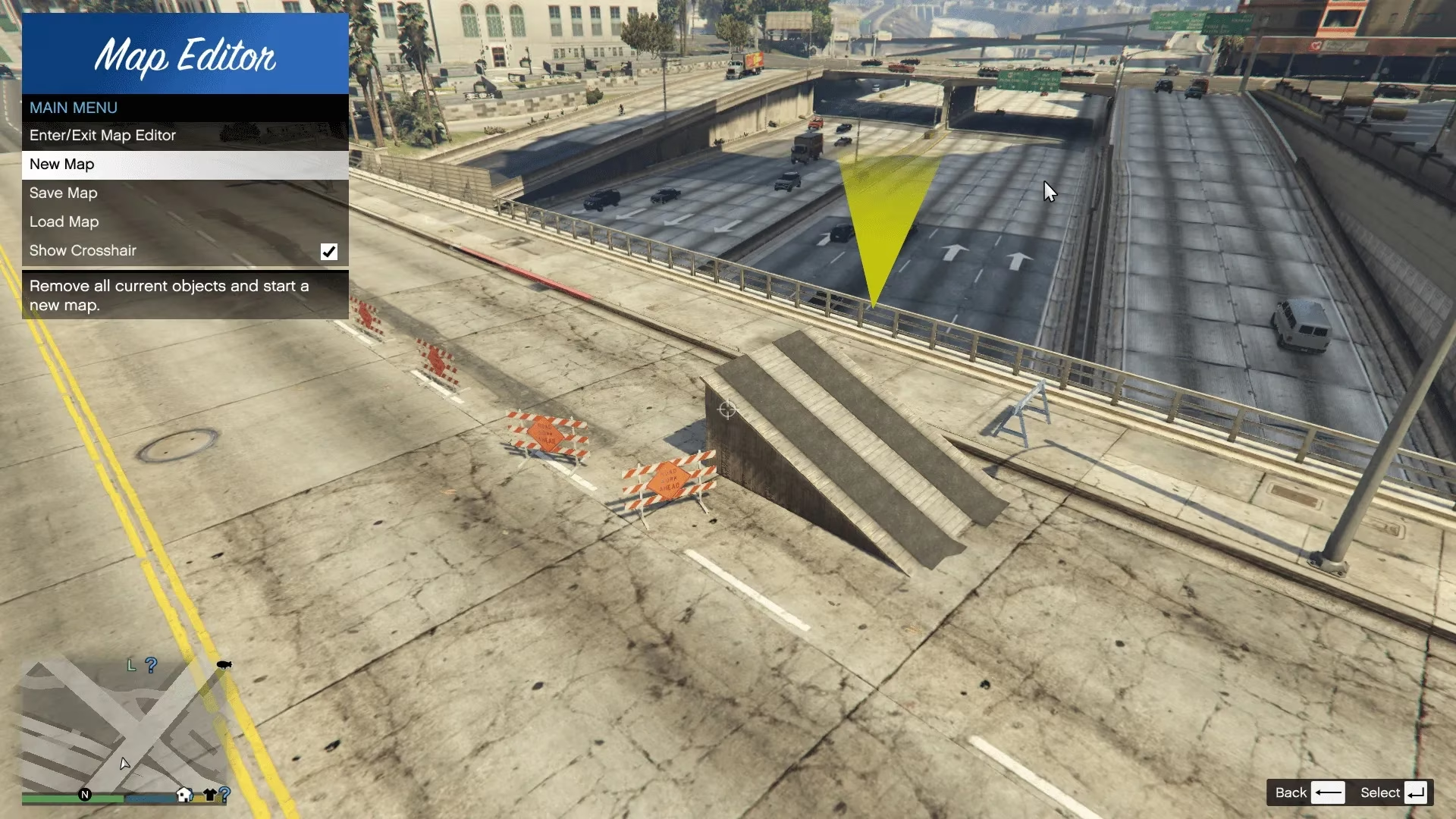
For mods that add islands, buildings, or new areas to Los Santos, Map Editor is often required. I also use it to spawn and place objects, move around with freecam, and save custom map changes. It is one of those tools that feels simple until you realize how many mods depend on it.
⌨️ Keybinds, Clutter, and Mod Managers
Here is the part that trips up new modders: most mods have their own activation keys and controls. Some can be customized; some cannot. If you install ten mods, your keyboard starts to feel like a crowded subway car. I delete mods I am not using. If I try a mod and decide it is not for me, I remove the file before I forget about it. Otherwise two mods will eventually fight over the same key.
The cleaner alternative is a mod manager. I have used GTAV Mod Manager by Bilago, which lets me corral mods in one place and enable or disable them without constantly moving files around. It takes a little setup, and older tutorials may not cover every storefront version of the game, but it is still one of the most practical ways to keep a large mod collection under control.
🚨 The GTA Online Warning
Rockstar has said players will not be banned for modifying their single-player game, but it does not want mods in GTA Online. That distinction is everything. If I have mods installed and I want to go online, I play offline or make absolutely sure every mod is switched off first. Some mods include a built-in toggle. Some do not. That is why I am careful about what I install if I plan to switch between Story Mode and GTA Online.
🎯 Is It Worth It in 2026?
Yes, but only if you treat modding like a separate hobby from GTA Online. The Legacy build is still my recommendation for most script mods in 2026. Enhanced may be the newer version, but newer does not always mean better supported by the community. If a mod works on Enhanced, great. If it does not, I do not force it with renamed files and hope for the best. I keep a clean Legacy install, test one change at a time, and back up anything OpenIV touches. That is not glamorous, but it is how I keep GTA 5 modding fun instead of frustrating.